Used Car Advanced Search Filter
Rethinking the advanced search filter on Sgcarmart’s used-car listings to make a dense set of options genuinely usable — and discoverable — for everyday car buyers.
- My role
- UI/UX Designer
- Company
- Sgcarmart
- Duration
- 6 weeks
- Focus
- Usability & discoverability
Overview
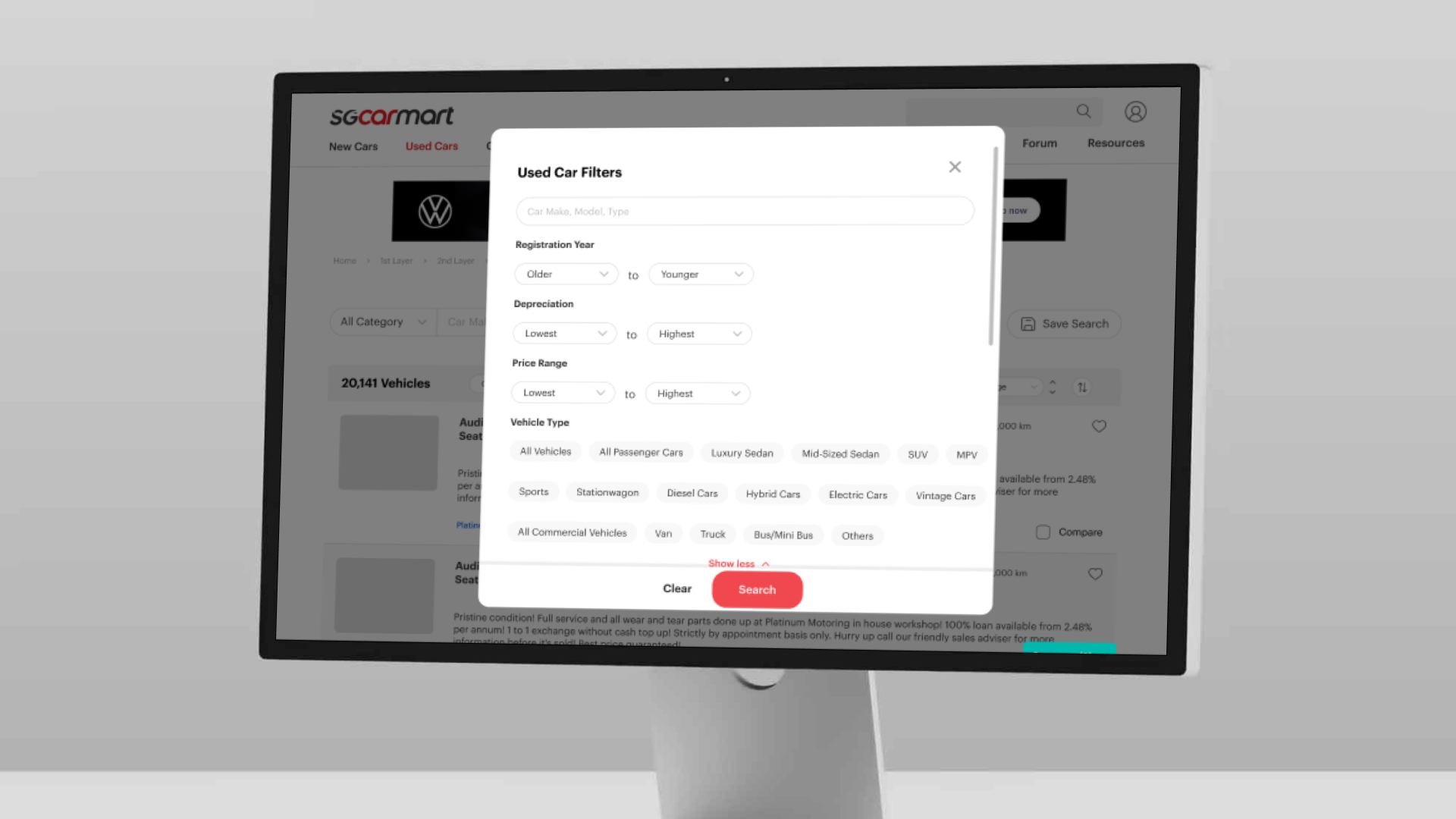
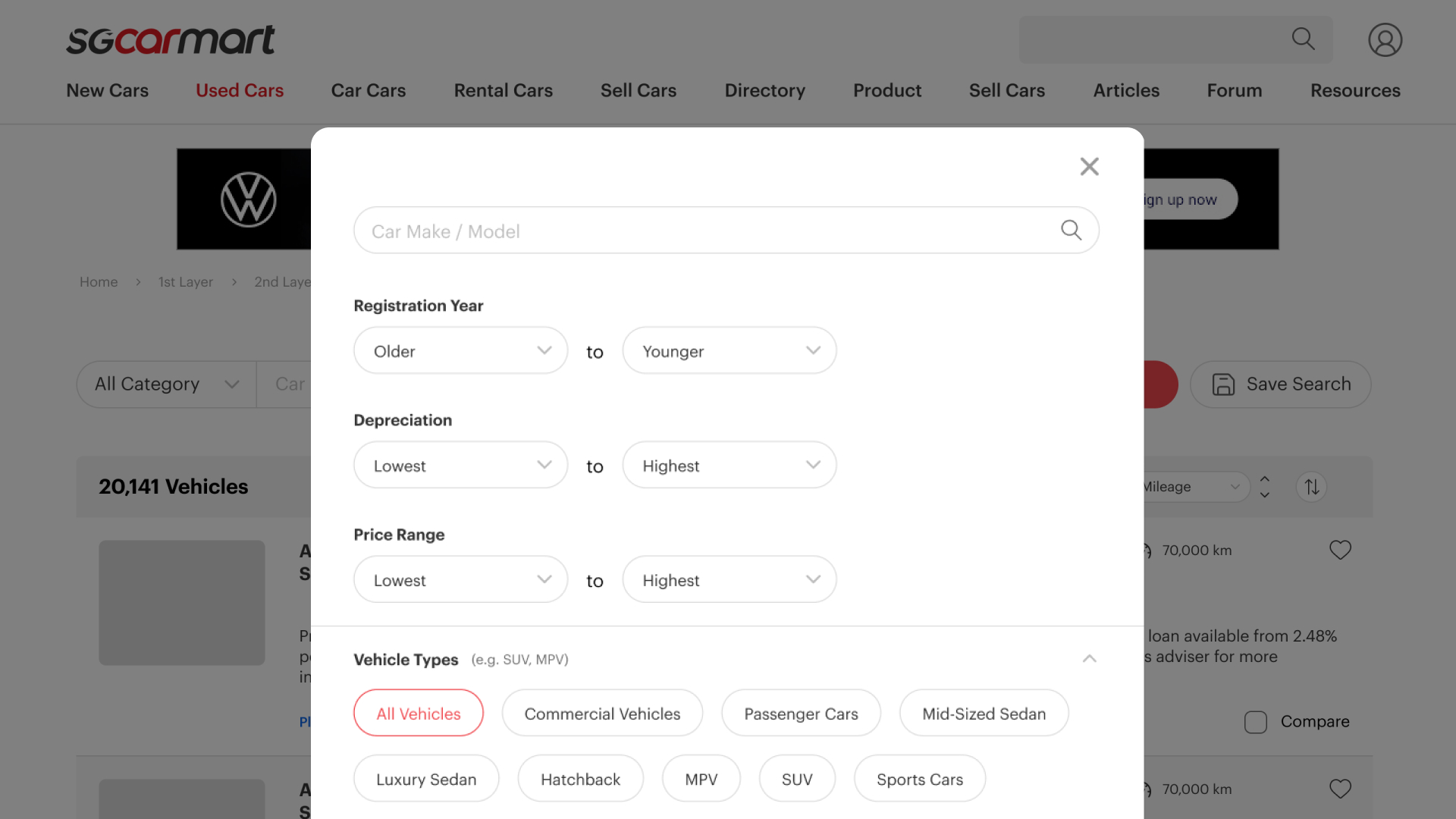
During my time at Sgcarmart, I was assigned to improve the Advanced Search Filter on the Used Car page. The filter was powerful but overwhelming — dozens of options across make, model, price, depreciation, registration year, vehicle type, category and more. The goal was to improve the usability and discoverability of those advanced options so buyers could actually find the right car faster.
The problem
The existing filter surfaced a wall of controls at once. Buyers struggled to know which filters existed, how they related, and which combinations would narrow their search meaningfully — leading to drop-off before they reached relevant listings.
Process
1. Research & session review
I began by conducting user research and reviewing real session recordings (via Microsoft Clarity) to see where buyers hesitated, mis-clicked, or abandoned the filter — grounding the redesign in observed behaviour rather than assumptions.
2. Competitive research
I benchmarked how other automotive and marketplace platforms structured complex filtering, mapping patterns for progressive disclosure, grouping, and defaults that reduce cognitive load.
3. Design improvements
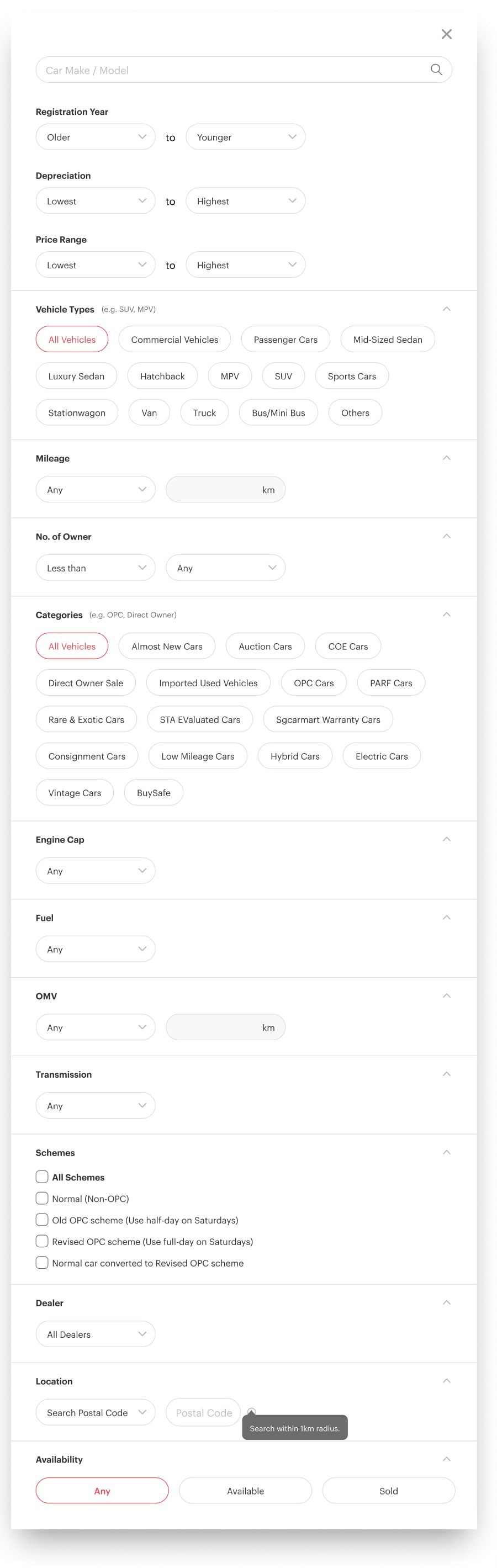
Based on the research and findings, I implemented design improvements that reorganised the filters into a clearer hierarchy, made the most-used options immediately visible, and tucked advanced controls behind sensible progressive disclosure — so the filter felt approachable without losing power.
What changed
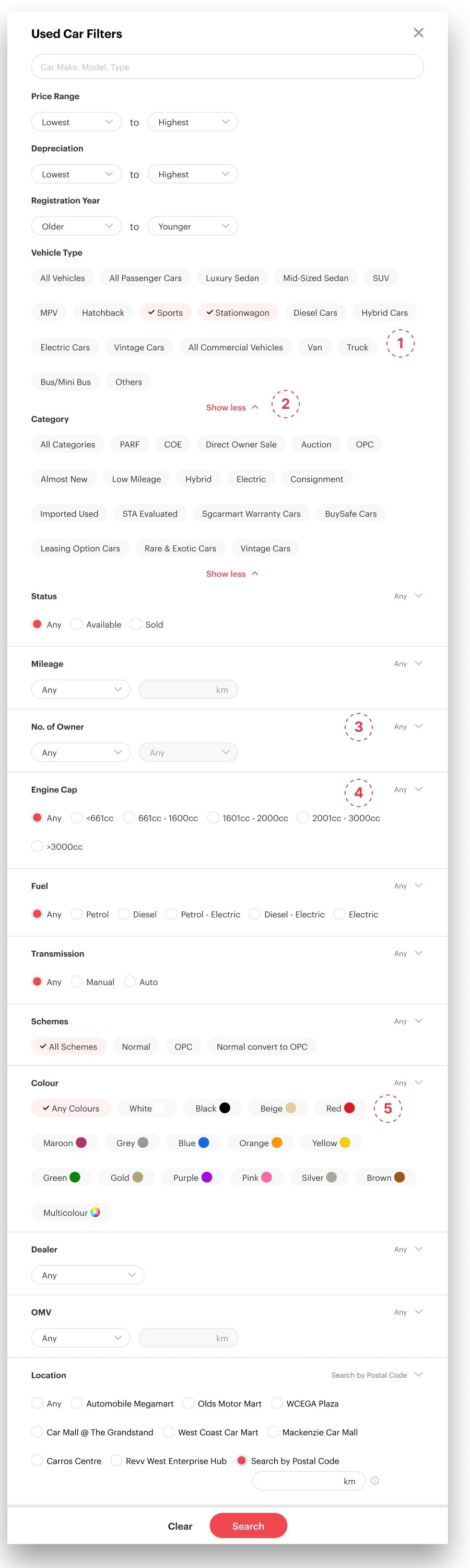
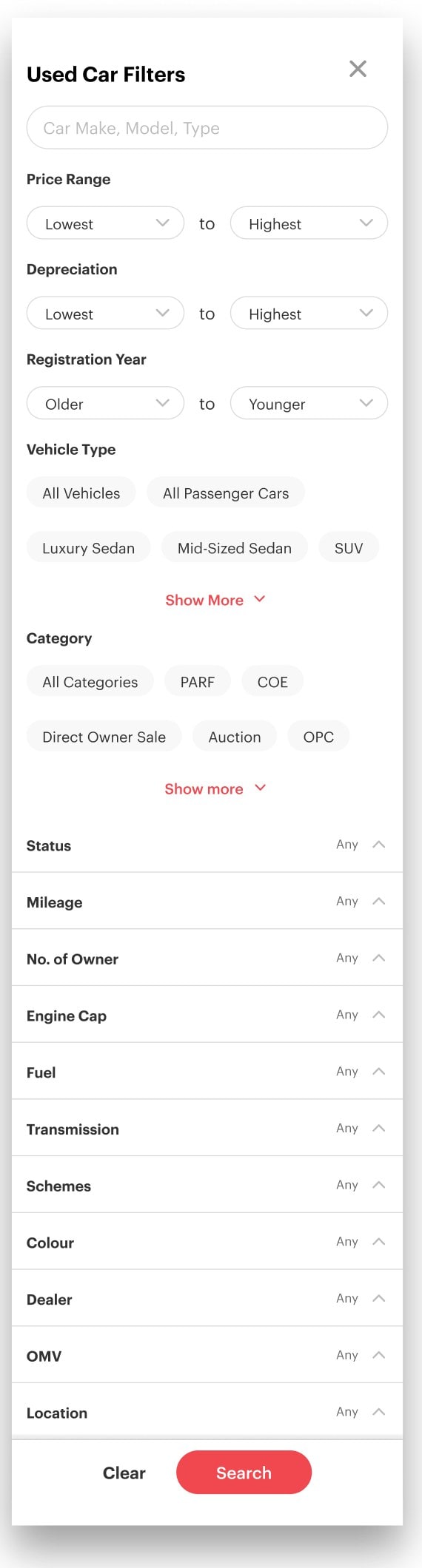
Based on our research and findings, we began implementing design improvements to better align the filter with how people use it and what they need. Five changes did most of the work:
Redesigned pills include a tick, making multi-selection more intuitive.
A toggle that minimises visual clutter and reduces scroll fatigue.
Each filter’s current choice is shown clearly beside its title, with “Any” as the default.
Options are visible at a glance, improving visibility and selection speed.
Colour options carry a colour swatch, so they can be recognised at a glance.
Desktop
Mobile


Outcome
The streamlined filter made the used-car search noticeably easier to navigate — surfacing the right options at the right moment and lowering the effort needed to reach relevant listings. The work fed directly into ongoing improvements to Sgcarmart’s core browsing experience.
What I took away
Powerful features live or die on how they’re revealed. The win here wasn’t adding anything — it was sequencing and grouping what already existed so buyers could hold it all in their head.